VoxCraft
Say it. We design it.
The Idea
I started building VoxCraft because of a simple question: why is designing still so complicated?
Most people have great ideas, but actually turning those ideas into screens takes a ton of effort. You either have to spend weeks learning Figma, or you have to pay someone else to do it. I wanted to close that gap.
Instead of clicking, dragging, and overthinking components... what if you could just say what you want, and the UI appears? That was the starting point.
What I Set Out to Build
VoxCraft is an AI-powered UI generator that turns natural language into real, functional interfaces.
The goal was straightforward: let users speak or type an idea, give them a structured UI instantly, and make sure it's actually usable—not just a pretty concept.
Speech / Text → UI
You can literally just describe your idea using voice or text. VoxCraft takes that prompt, supports multiple languages (English, Hindi, and Gujarati), and spits out clean HTML and Tailwind CSS.
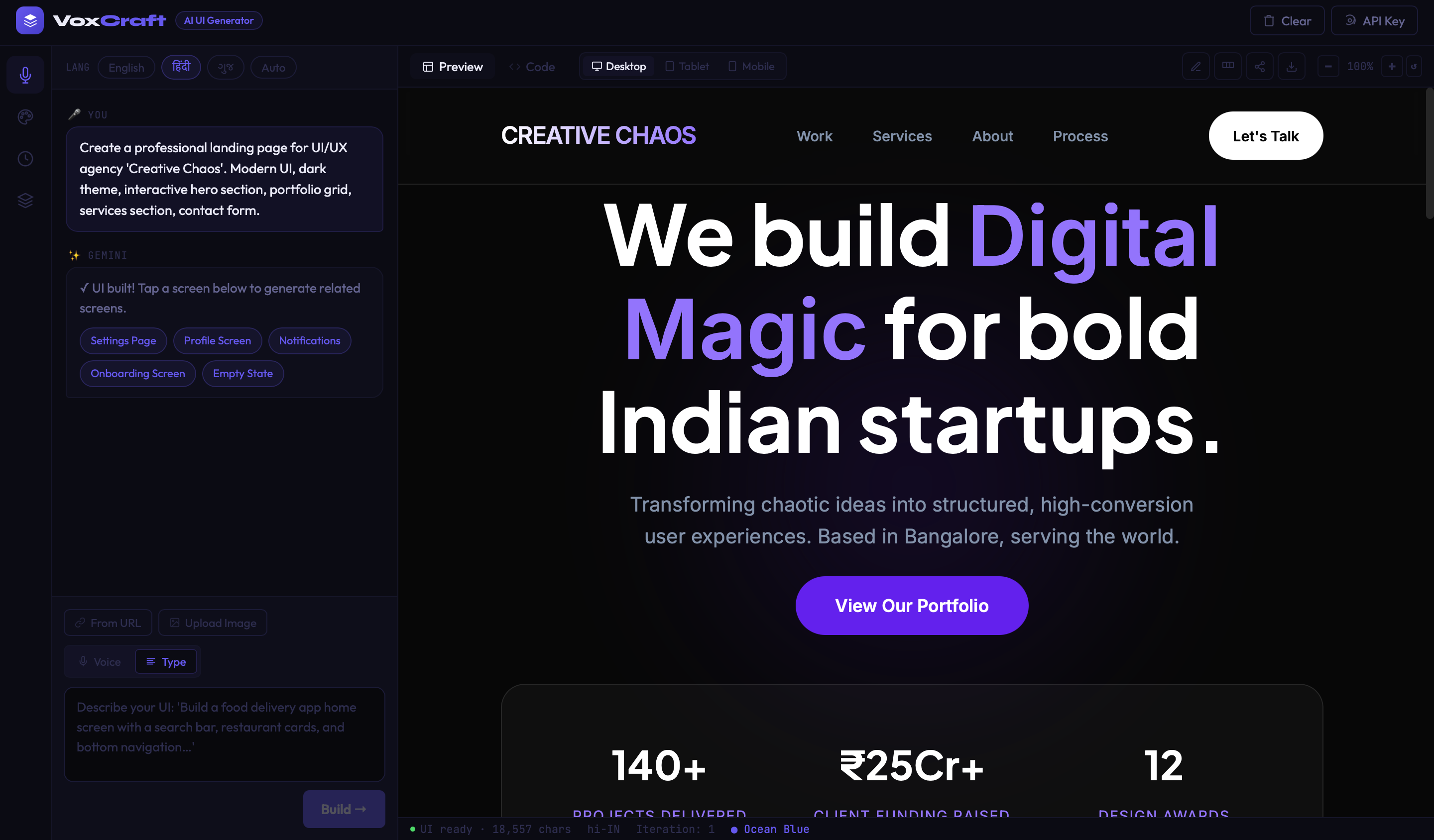
English Prompt
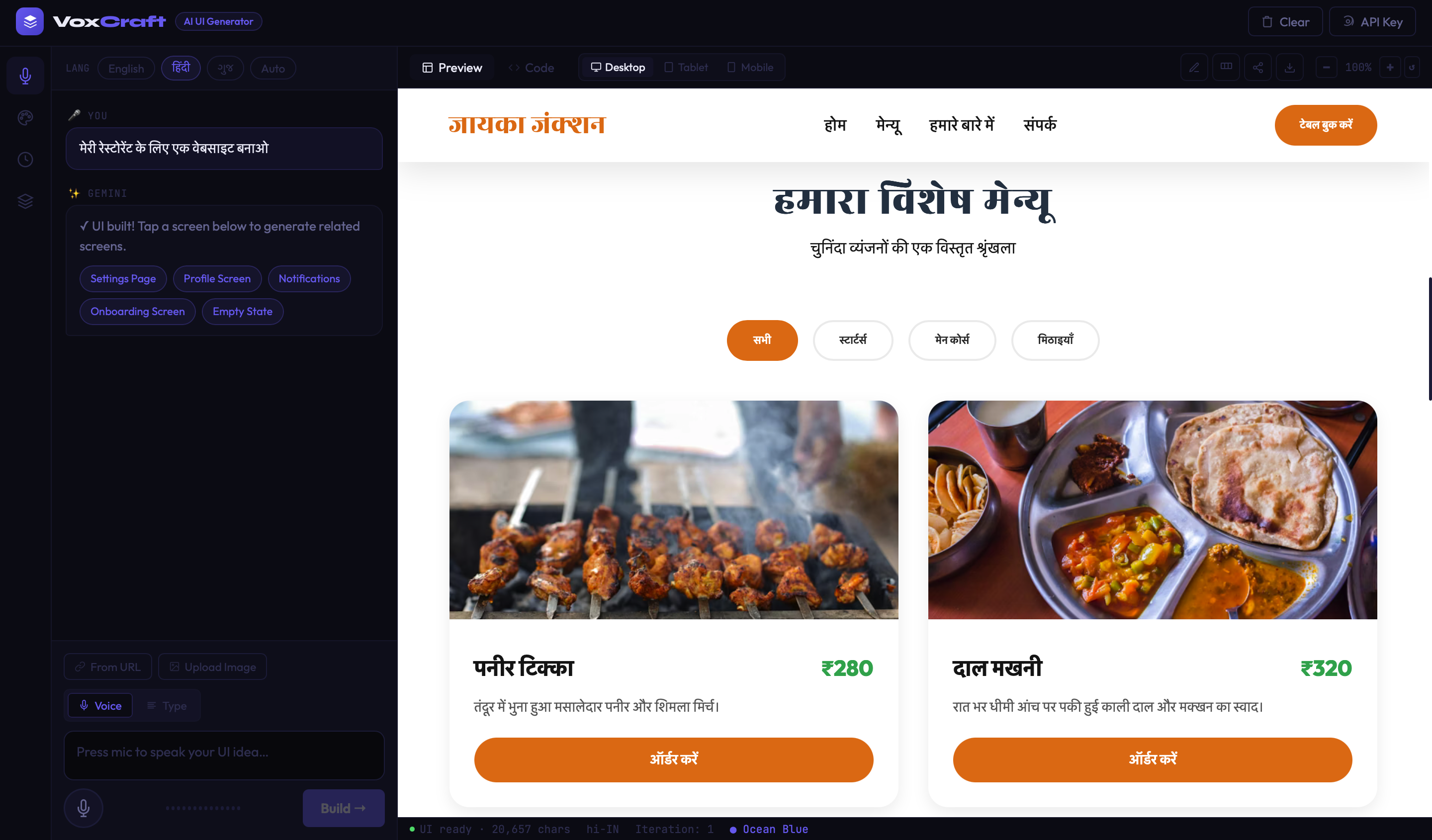
Hindi Prompt
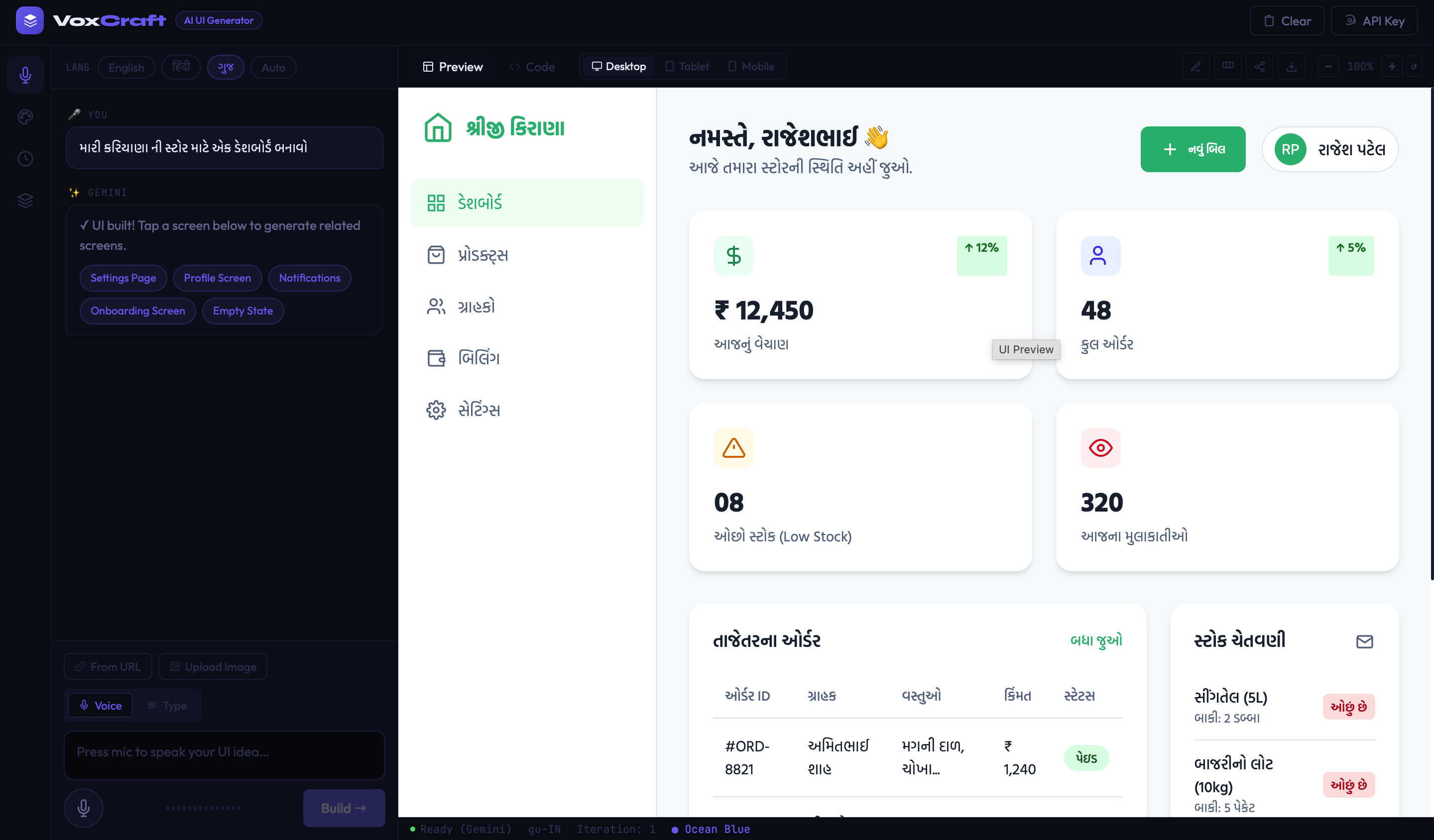
Gujarati Prompt
AI Integration
Instead of reinventing the wheel with a custom model, I hooked it directly into Anthropic's Claude and Google's Gemini. Users can choose their preferred provider and drop in their own API key. It keeps things flexible and scales easily.
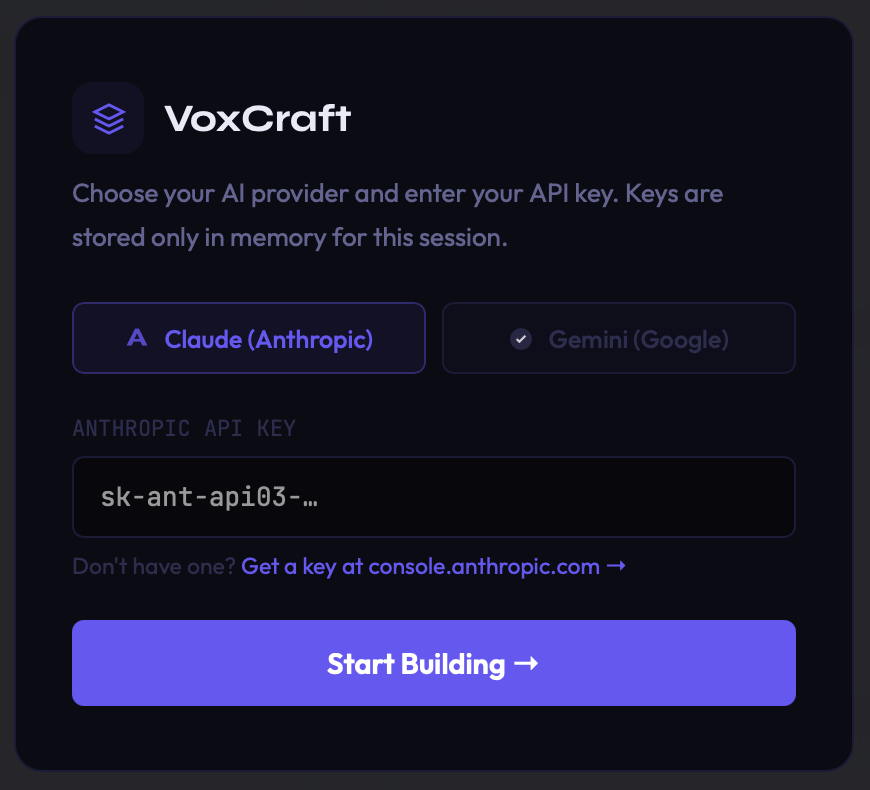
Claude API Integration
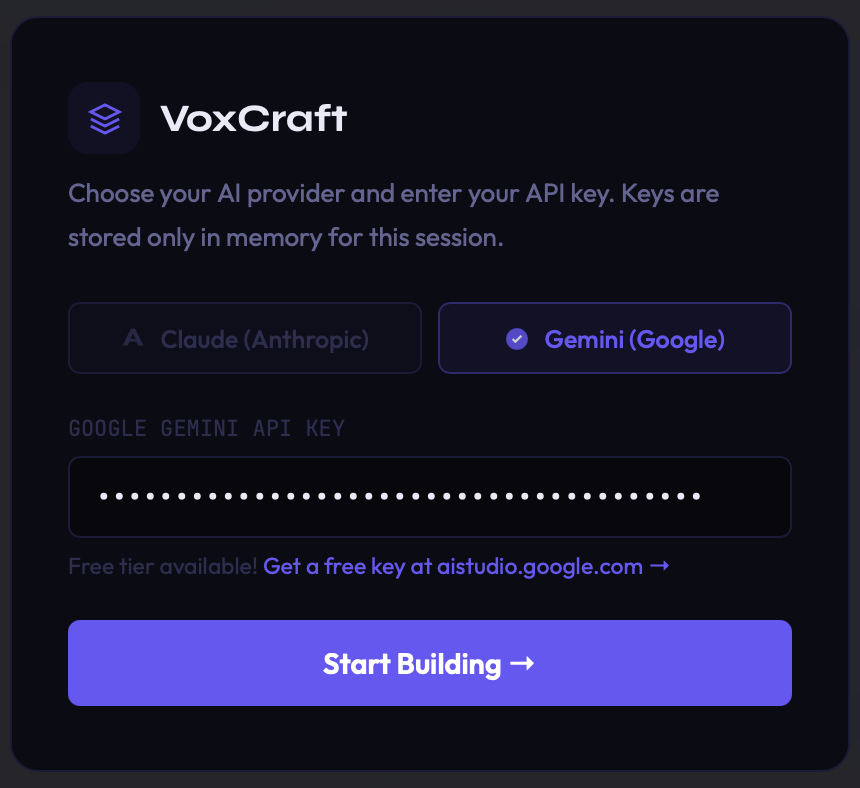
Gemini API Integration
Brand Kit System
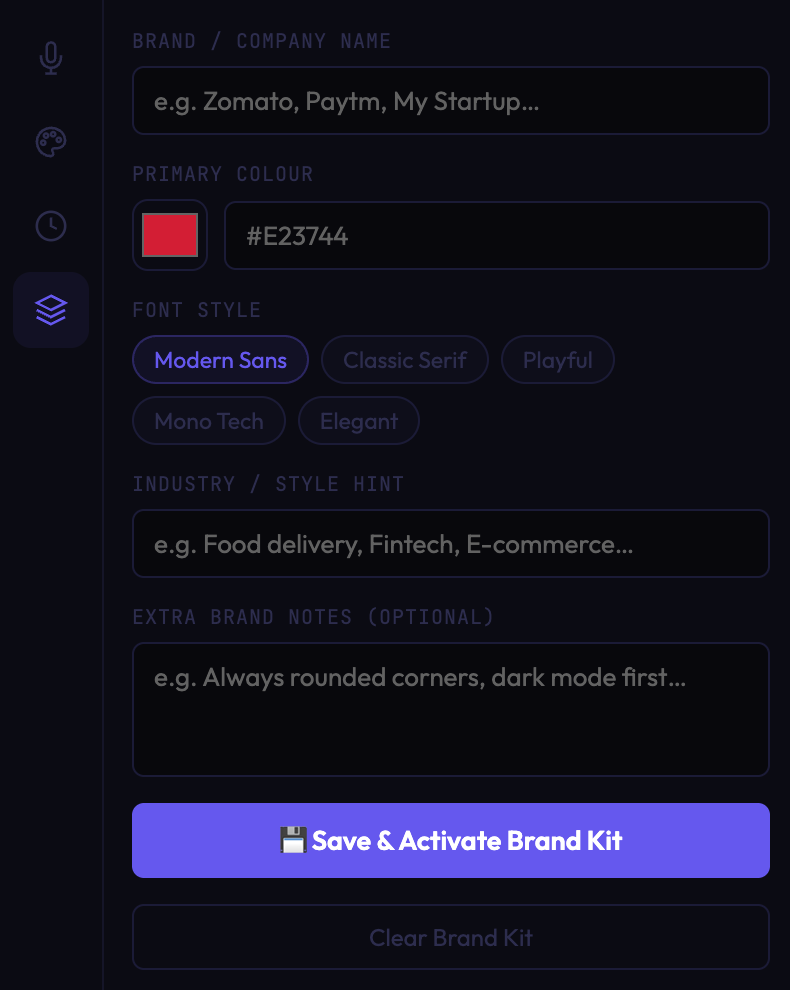
One major problem with AI-generated UI is that it lacks consistency. To fix this, I built a Brand Kit system. You can define your colors, font styles, industry hints, and general design preferences upfront, so the AI knows exactly what your brand is supposed to look like.
Color Palette Control
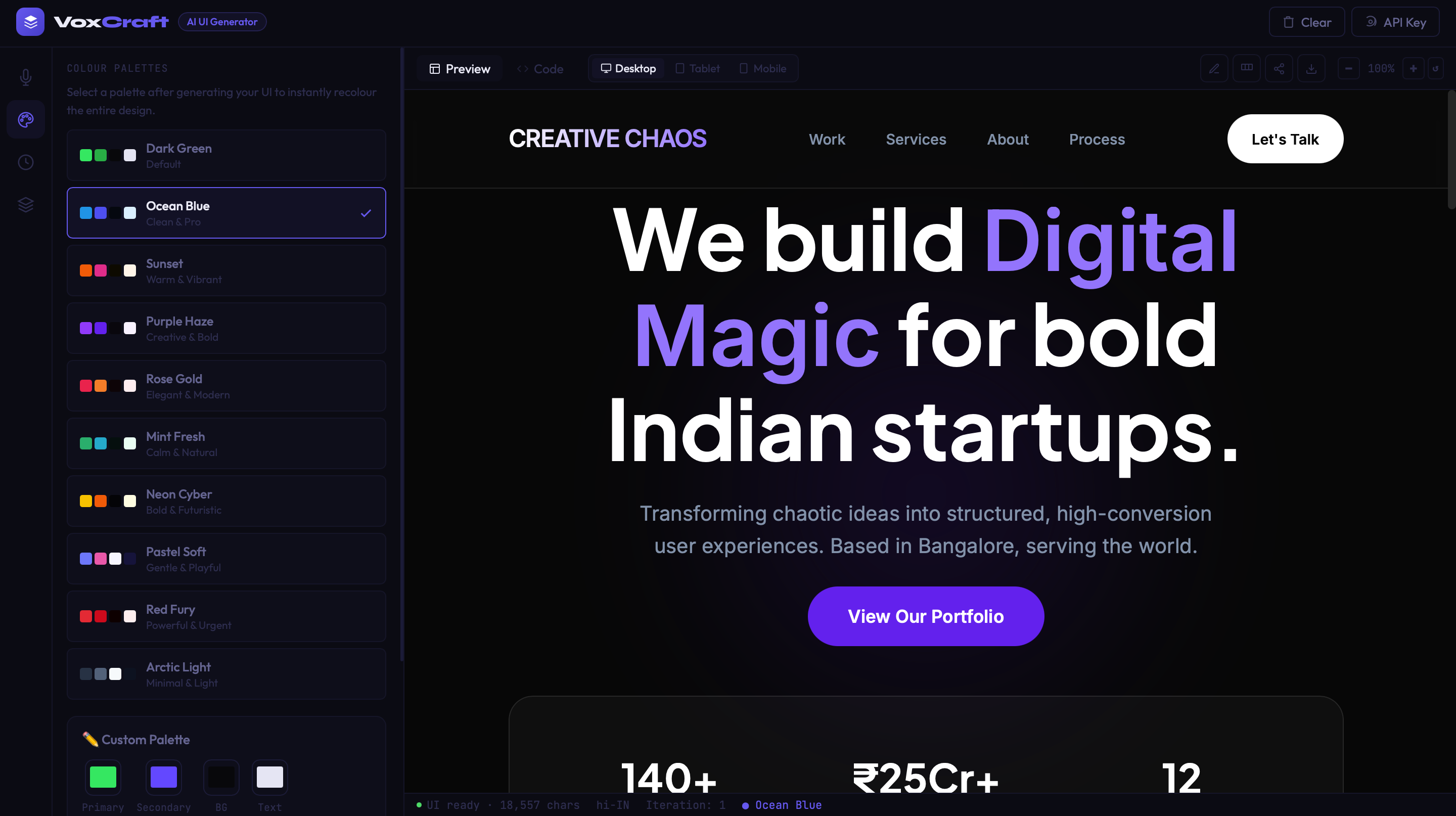
Sometimes you just want to see options. I added a feature to let users instantly switch between pre-defined palettes (like Dark Green, Ocean Blue, Sunset) or create their own custom palette. It allows for super quick visual iterations without needing to regenerate the whole UI.
Redesign from Image or URL
I also wanted to handle inspiration. You can upload a screenshot of an app you like, and the AI will redesign it. Or you can paste a URL, and VoxCraft will recreate the UI. It's a huge timesaver.
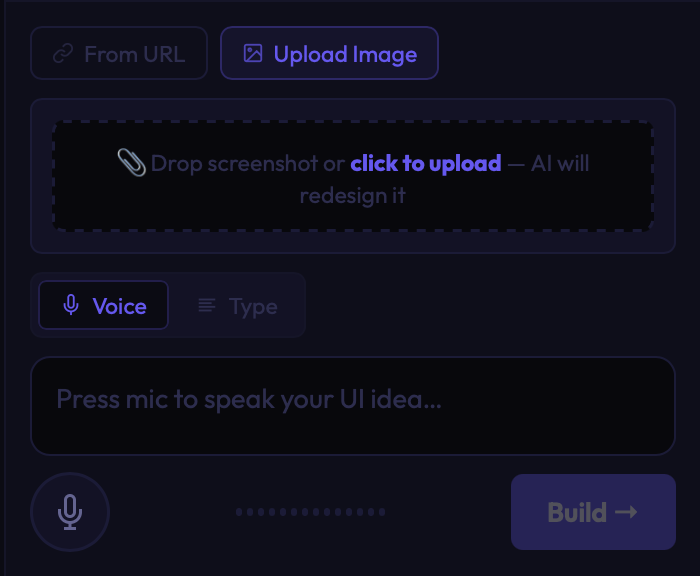
Upload Image
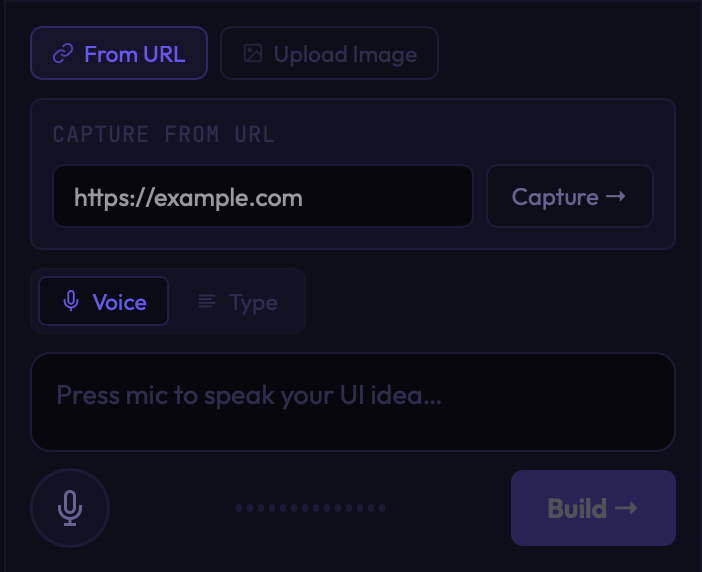
URL Capture
Live Preview & Export
Once your UI is generated, you can preview it live, edit the code directly, export it as HTML, or generate a link to share it. I wanted this to feel like a real working environment, not just a text box that spits out code.
The Challenges
Building this honestly wasn't straightforward. Early on, the AI responses were super inconsistent. The layout structure broke constantly, and trying to maintain design quality when switching between languages was really tricky.
I spent a lot of time refining prompts, adding strict constraints, and prioritizing structural integrity over getting "creative" with the code. It's something I'm still improving every day.
Thinking in Multiple Languages
One thing I realized early on is that people think in their native language.
So I made sure to test this heavily across English, Hindi, and Gujarati. The goal was simple: the same idea should yield the same quality output, regardless of the language you speak it in. It's not 100% perfect yet, but for a beta, it's working really well.
Where it is now, and what's next
Right now, VoxCraft is in beta. It works, and you can absolutely generate real UI with it.
Moving forward, I'm planning to add much better layout controls, component-level editing so you can tweak specific parts, and faster iteration cycles. I'm still figuring out exactly how far this interaction can go, but I'm building it step by step.
This project isn't just about generating UI.
It's about changing how people start building.